FAQ
Finding Your Trade Ticket Number
Our support team may ask you to provide a trade ticket number when investigating a specific trade. The ticket number helps the support team identify the exact trade and review its execution details.
You can find the ticket number directly from your TraderPilot User Dashboard. After signing in, open the Trading Activity page. This page contains all of your available trade logs, including successful, failed, open, and closed trade activities.
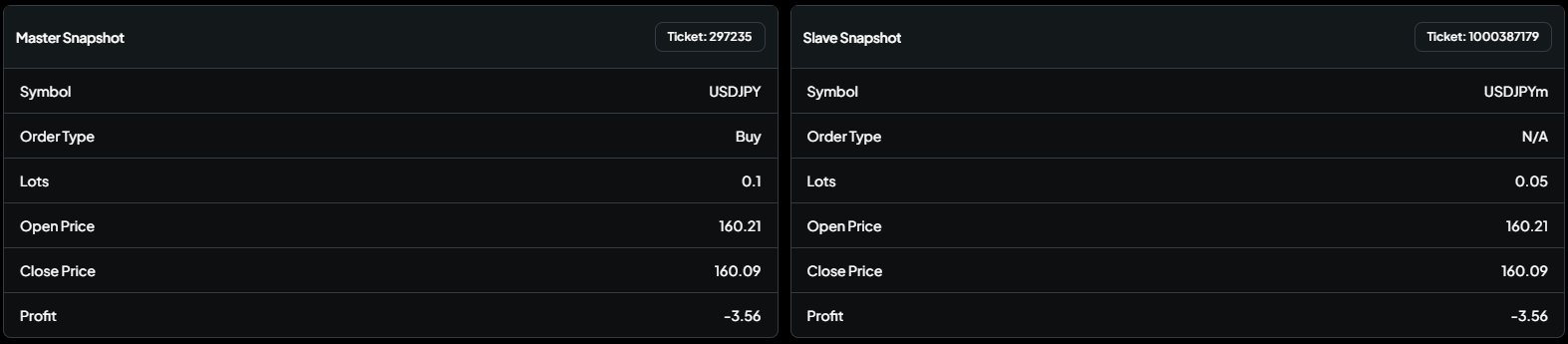
Find the trade you want to review and click the Details button shown beside that trade log. You will be taken to the trade details page, where you can view all available information related to the selected trade.
The trade details page may include the ticket number, trading account, symbol, trade type, lot size, open and close prices, Stop Loss, Take Profit, trade status, execution times, profit or loss, and any available failure reason or execution message.
When contacting TraderPilot support about a specific trade, copy the ticket number from the trade details page and include it in your support message. This will help the support team locate and investigate the trade more efficiently.